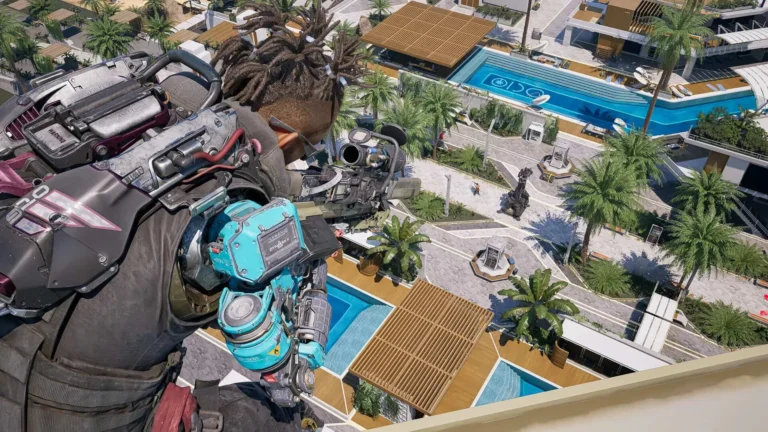
Off The Grid, developed by Gunzilla Games, is an ambitious cyberpunk battle royale featuring a narrative-driven approach and intense PvP and PvE elements. But like many big releases, some players face technical problems, such as black screens, FPS drops, and launch errors. In this guide, you’ll learn how to fix the most common issues in Off The Grid, ensuring a smooth gaming experience.
Some players report issues such as:
- Black screen on launch
- Low FPS or unstable frame rates
- Crashes during startup
- DirectX errors
- Long loading times
- Game not launching at all
If you’ve encountered any of these problems, you’re not alone. In this comprehensive guide, we’ll walk you through tested solutions to help you get back into the game.
Table of Contents
Minimum and Recommended System Requirements
Before troubleshooting, make sure your PC meets the official requirements for Off The Grid. Performance issues often come from running the game on unsupported hardware.
Minimum Requirements
- OS: Windows 10 64-bit
- Processor: Intel Core i5-8400 or AMD Ryzen 5 2600
- RAM: 8 GB
- Graphics: NVIDIA GTX 1060 / AMD RX 580
- Storage: 50 GB SSD recommended
Recommended Requirements
- OS: Windows 11 64-bit
- Processor: Intel Core i7-9700K or AMD Ryzen 7 3700X
- RAM: 16 GB
- Graphics: NVIDIA RTX 2070 / AMD RX 6700 XT
- Storage: SSD (Solid State Drive)
If your PC meets or exceeds these specs and you’re still experiencing issues, let’s dive into the fixes.

How to Fix Black Screen on Launch
A common complaint from players is encountering a black screen right after starting the game. Here’s what you can do:
Solutions
- Update GPU Drivers
Download the latest drivers from:- NVIDIA Drivers
- AMD Drivers
- Disable Overlays
Turn off Steam Overlay, Discord Overlay, and GeForce Experience Overlay as they can conflict with the game. - Run the Game as Administrator
- Right-click the game’s executable file.
- Select Properties → Compatibility → Run this program as administrator.
- Switch to Windowed Mode
If you can access settings, try running the game in windowed mode. This often resolves launch display problems.
Low FPS or Stuttering
Even on high-end systems, some players report FPS drops and screen tearing. Here’s how to stabilize performance:
Fix: Limit Frame Rate
- Open NVIDIA Control Panel → Manage 3D Settings → Program Settings.
- Select Off The Grid from the list.
- Enable Max Frame Rate and set it to 58 FPS.
This temporary fix helps smooth out gameplay until developers release optimization patches.
Other Tips
- Disable V-Sync in-game for reduced input lag.
- Lower Post-Processing, Shadows, and Anti-Aliasing in settings.
- Switch to DLSS (if available) for improved performance on RTX cards.
- Set Windows Power Plan to High Performance.

Game Won’t Launch or Crashes on Startup
If Off The Grid refuses to start or closes immediately after launch:
- Verify Game Files on Steam
- Open Steam Library.
- Right-click the game → Properties → Installed Files → Verify Integrity of Game Files.
- Add to Antivirus Exceptions
Security software may block some game files. Add the installation folder to the exclusion list.
- Delete Steam Cache Files
- Close Steam.
- Navigate to the Steam directory.
- Delete steam.dll and ClientRegistry.blob.
- Restart your PC.
DirectX Errors
Errors such as DXGI_ERROR_DEVICE_HUNG, DXGI_ERROR_DEVICE_REMOVED, or DXGI_ERROR_DEVICE_RESET indicate driver or DirectX issues.
How to Fix
- Install the latest DirectX Runtime from Microsoft.
- Update your GPU drivers.
- Disable overclocking if applied.
Long Loading Times
Waiting minutes to load into the game? Try this:
- Install the game on an SSD instead of an HDD.
- Disable Windows Game Mode and Xbox Game Bar in settings.
- Monitor CPU/GPU temperature; overheating can slow loading.

Game Freezes or Random Crashes
- Close heavy background apps like OBS, Chrome, or Discord while playing.
- Disable unnecessary startup programs via Task Manager.
- Lower graphics presets if freezes persist.
Save Issues
Currently, some players report lost progress or failed cloud sync. There is no universal fix yet, but enabling Steam Cloud Save reduces the risk of data loss.
General Tips for Stable Gameplay
- Keep Windows updated.
- Disable third-party overlays and recording software.
- Use a wired internet connection for better stability in multiplayer sessions.
FAQ – Off The Grid Troubleshooting
Why is Off The Grid running slow on a high-end PC?
The game is still in early optimization stages. Apply frame rate limiting and disable unnecessary visual effects to improve smoothness.
Will developers release a patch for performance issues?
Yes, Gunzilla Games has confirmed ongoing updates. Follow the official Steam News Hub for patch notes.
Is DLSS or FSR supported?
Off The Grid supports DLSS on NVIDIA RTX cards. Enable it in the graphics menu for a performance boost.
Can I fix network lag?
Use a wired connection and disable background downloads. Set your Steam download region to the closest server.
Final Thoughts
Off The Grid is an ambitious title that pushes both narrative depth and multiplayer action, but technical issues can dampen the experience. We hope these fixes help you get the smoothest possible gameplay until official patches arrive.
Found this guide helpful? Support us with a cup of coffee — it helps us keep creating more valuable content for you.
Stay tuned for updates — we’ll refresh this guide as new solutions and patches roll out.